Puck Cloud
Add a backend to Puck, without building one
Add a backend to Puck, without building one
Puck Cloud is a modular, hosted backend for Puck Editor. Everything you need to take Puck to production, in seconds.
Modules
The perfect capability for every requirement.
The perfect capability for every requirement.
Puck is modular, and so is Puck Cloud. Use only the capabilities you need, and build the rest yourself.
AI
Let your users generate UI, constrained by your rules.
Pages (early access)
A hosted store for your Puck data, with version history and data migration.
Auth (early access)
Control who can edit, without building authentication.
Assets (early access)
A media library for your editor, with no storage to manage.
Multiplayer (early access)
Real-time collaboration for Puck, without the infra.
Setup
Deploy in seconds
using your agent
Deploy in seconds using your agent
Setup Puck and configure Puck Cloud
Installing Puck
Connect your Puck account, then ask me to continue: https://cloud.puckeditor.com/cli/connect#code=1234-5678
Continue
Configuring Puck Cloud
All set up. Where should I deploy?
Deploy it to Vercel
vercel deploy --prod
That's done. Here's your site: https://example.vercel.app
PLUGINS
Seamless integration with Puck Editor
Seamless integration with Puck Editor
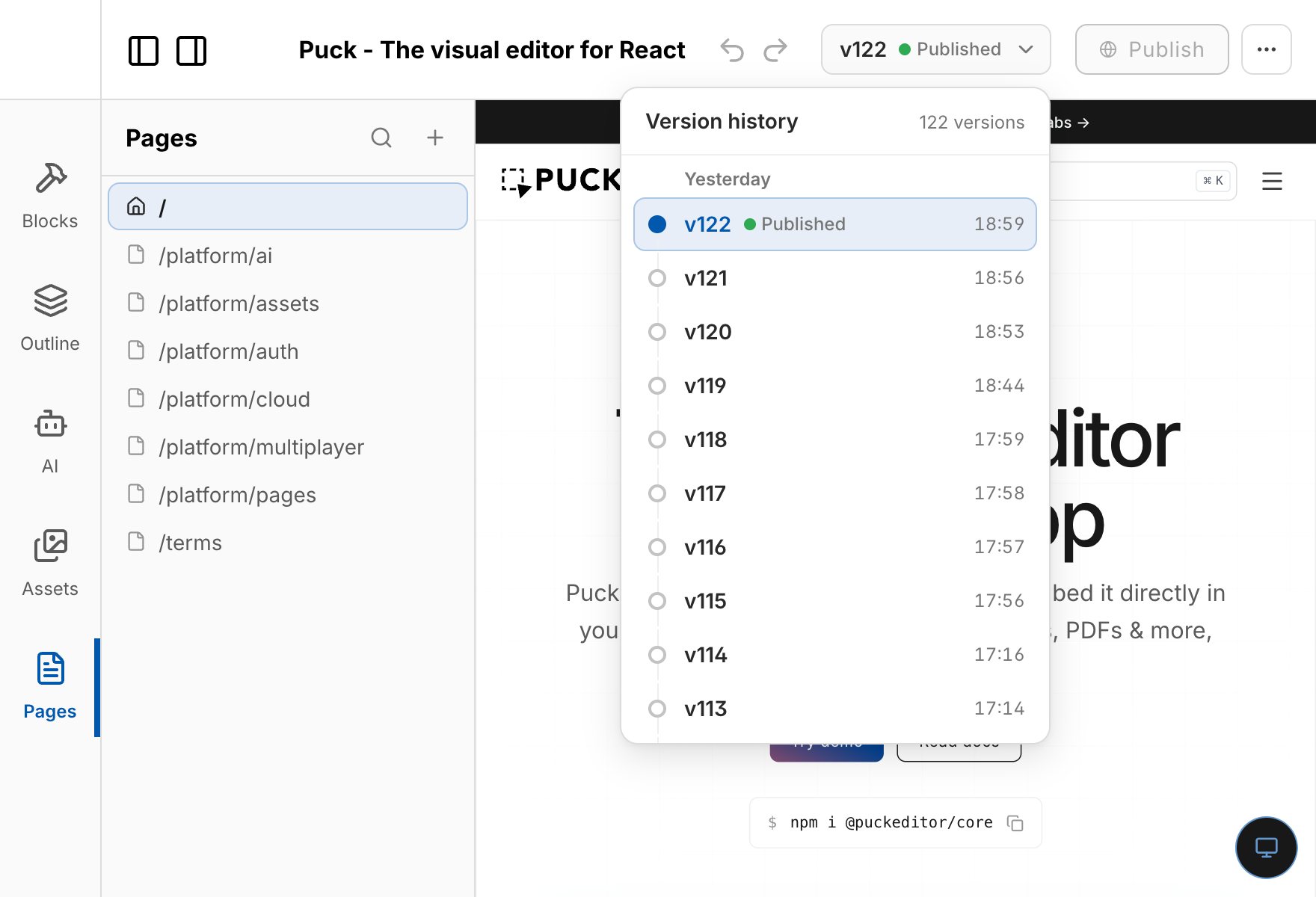
Extend Puck Editor with a dedicated plugin for each Cloud module.
- Dedicated interfacePlugins seamlessly integrate with Puck Editor to let you interact with Puck Cloud directly.
- Respects existing themesBuilt on the Puck Editor theming system, so plugins will automatically look the part.
- CustomizableFollowing similar principles to Puck Editor, the Cloud plugins can be modified to match your requirements.
SERVER APIS
Manage the Cloud from your backend
Manage the Cloud from your backend
Server APIs let you call Puck Cloud from your backend, so you can integrate with your stack.
- Integrate your business logicGranular functions let you seamlessly wire Puck Cloud throughout your application.
- Create your own interfacesDon't use the plugins? No problem. Use the server APIs to implement your own.
- Agent-friendlyFull typing and robust documentation makes it easy for agents to work with.
import cloud from "@puckeditor/cloud-client";

const data = await cloud().ai.generate({
  prompt: "Create a page about dogs"
});

await cloud().pages.create({
  path: "/dogs",
  data
});
ON-PREMISES
Need on-prem? Let's talk
Need on-prem? Let's talk
Puck Cloud can be deployed to your own infrastructure.
Get started
Start building with Puck Cloud
Start building with Puck Cloud
Ask your agent to setup Puck Cloud, or use the CLI.