 Fede Bonel Tozzi
Drag-and-drop is one of those features that seems simple until you actually have to build it. Then, you will suddenly find yourself dealing with event listeners, state management, performance issues, accessibility concerns, and the infamously inconsistent HTML5 drag-and-drop API. All that effort just to let users move something from point A to B; an interaction that’s been around since the ’80s.
Thankfully, if you’re working in React, you don’t have to start from scratch. You’ve got a ton of packages available on NPM to choose from, each with its own trade-offs. Some make drag-and-drop a breeze, while others demand more setup but give you fine-grained control.
We’ve done more than our fair share of exploring drag-and-drop solutions while building an open-source page builder. We needed something flexible, performant, and easy to work with, but finding the right fit wasn’t straightforward. We tried existing libraries, forked them, and even built our own before settling on an approach with support for CSS grid and flexbox.
After going through that process, I thought: why not share what we learned?
So here’s a breakdown of the top five React drag-and-drop libraries in 2026, their pros and cons, and when you should (or shouldn’t) use them. Whether you’re building a no-code editor, a layout system, or a kanban board, this list should help you pick the right tool for the job.
TL;DR
If you’re looking for a quick comparison, here’s how each of these libraries stack up against one another:
| Library | Customizability | Ease of Use | Maintenance Status | Community Support |
|---|---|---|---|---|
| Puck | High | Easy | Maintained | Growing |
| dnd-kit | High | Intermediate | Maintained | Large |
| hello-pangea/dnd | Moderate | Easy | Maintained | Large |
| pragmatic-drag-and-drop | High | Intermediate | Maintained | Growing |
| Gridstack | Moderate | Challenging | Maintained | Niche |
Picking the right drag-and-drop library
Before we get into the list, let’s talk about how to make the right choice.
Engineering is all about trade-offs, and picking a drag-and-drop library is no different. Some libraries are lightweight and flexible, others offer plug-and-play simplicity, and then there are those that look great… until you realize they haven’t been updated in years.
That’s why, to build this list, I focused on balancing four key factors:
- Performance – Dragging should feel smooth, not laggy. Poor performance kills the whole experience
- Ease of Integration – Does it play well with React? How much setup does it need? Will I have to fight it to make it work in my project?
- Flexibility – Can it handle lists, grids, multiple containers? Does it support touch and accessibility? What if I need custom interactions, can I extend it?
- Maintenance & Community – Is it actively maintained, or am I about to commit to something that’s already a ghost town?
With that, let’s take a look at the best options available today for adding drag-and-drop functionality to your React app.
Puck
Puck is our open-source drag-and-drop visual editor for React that lets you build a page builder using your own components. Full disclosure: this is the tool we built, so we’re a bit biased. But after spending years working through the challenges of drag-and-drop in React, we genuinely think it earns a spot on this list.
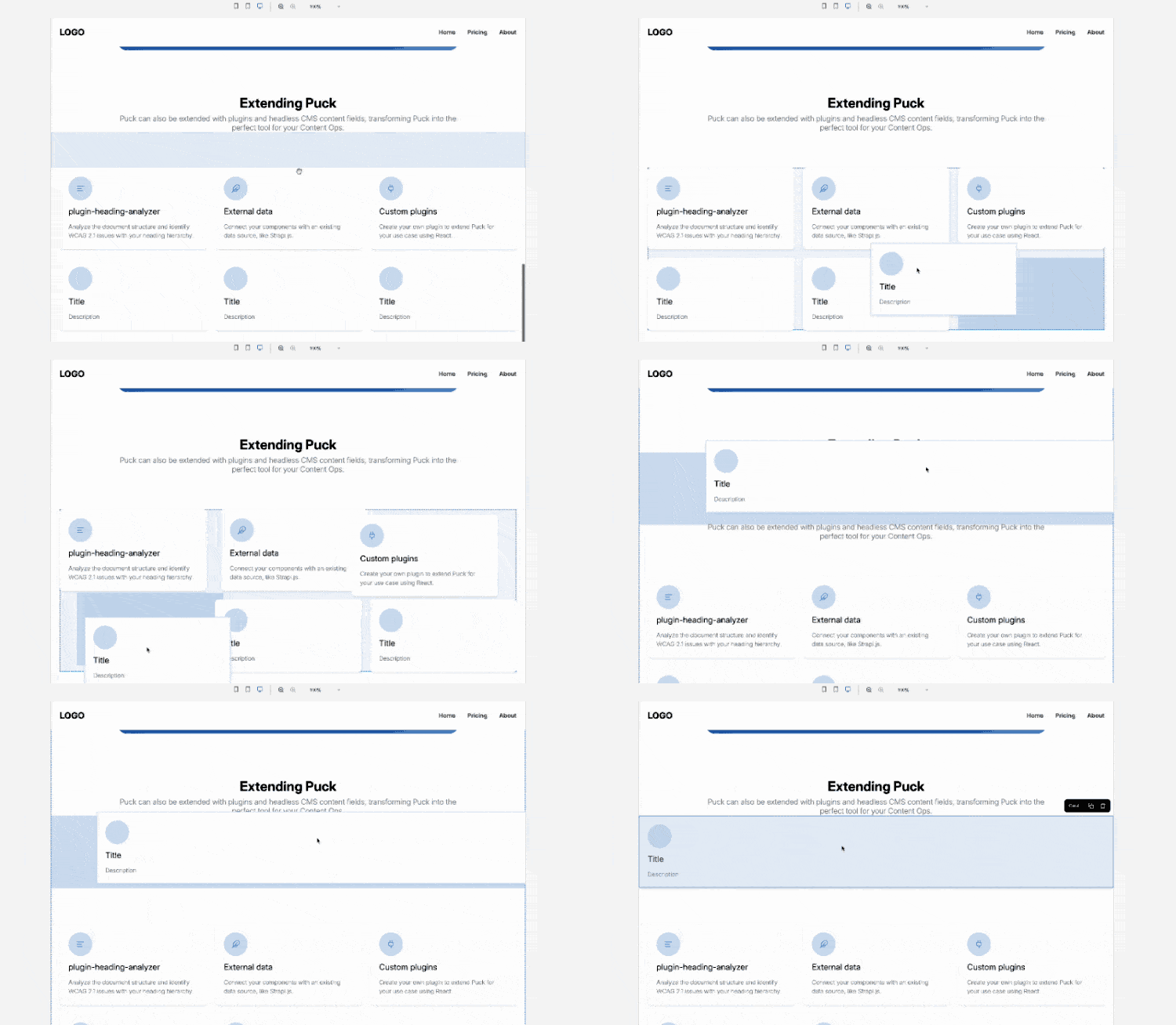
Unlike other libraries in this list that handle lower-level drag-and-drop interactions, Puck is built specifically for page building, giving you a customizable editor you can plug directly into your app, without forcing you into a specific CMS, backend, or platform.
This makes it a strong fit for building things like website builders, CMSs, DXPs, image editors, PDF editors, or other editing tools on top of a well-defined design system without having to implement everything from scratch.
✅ Puck’s strengths
🔹 Designed for visual editing
While most drag-and-drop libraries in this list give you the primitives to build interactions from scratch, Puck starts at a higher level and assumes you’re building an editor. That means instead of just helping you move elements around the screen, it gives you the foundation for building editing experiences with draggable components, fields mapped to component props, a resizable canvas, page publishing and rendering, AI generation, and much more.
If you’re building a drag-and-drop editor, this is a huge advantage. With other libraries, you usually need to spend a lot of time implementing the editor UI, canvas behavior, the layout system, the component model, and the drag-and-drop interactions across all of that before you even get to something users can actually work with. Puck cuts through all of that setup, so you can go from an idea to a working page builder in hours instead of spending months or years building the basics yourself.
🔹 Free-form drag-and-drop
Puck’s drag-and-drop experience feels intuitive, flexible, and polished. It provides a clear visual preview of how elements will be reorganized in the canvas before they’re placed, making layout adjustments smooth and predictable. More importantly, it’s not limited to a rigid vertical block-based display. You can freely drag elements into any CSS multi-column layout, including grids and flexbox.
🔹 Flexible, customizable, and extensible
One of the best things about Puck is that, although it’s designed for visual editing, you don’t have to sacrifice UX or UI customization. You can use it with its default UI for a quick setup, override specific parts with your own components, or go fully headless and replace the interface entirely.
That, combined with the fact that Puck is just a React component that lets you build layouts by dragging and dropping other components, means it’s not limited to page building. You can use it as a layout design tool for things like PDF creators, infographic designers, or something completely custom. If it can be built with React components, Puck can handle it.
Another major plus is that Puck exports pages as JSON with a clean, well-documented schema. That means you’re free to process and store the output however you want, and you have full control over how it embeds into your app.
🔹 Gentle learning curve
Unlike other libraries, which require you to build your own UI from scratch, Puck comes with a functional, ready-to-use editor interface out of the box that you can use by registering your components in just a few lines of code. This means you can start building immediately and refine your setup over time, instead of needing to fully understand the entire API before getting anything useful done.
❌ Puck’s limitations
🔻 Overkill for simple use cases
Puck is for building visual editors and page builders, not for simple use cases like sortable lists or file uploads. If you only need basic drag-and-drop interactions, Puck is overkill and other libraries in this list might be a better fit.
🔻 Higher-level abstraction
Puck wraps lower-level drag-and-drop interactions in abstractions around the idea of dragging and dropping components to build UI JSON trees, so if your use case doesn’t fit that model, you might find yourself fighting those abstractions or needing to build workarounds.
🔻 Still in Pre-1.0 Development
Puck is still pre-1.0. This means that while it’s already a powerful and flexible tool used in production by thousands, some APIs are still evolving and could change. The good news is that we’re committed to backward compatibility. We aim to minimize breaking changes and provide clear release and migration notes for every new version. Still, if you’re looking for absolute long-term stability right now, this is something to keep in mind.
🎯 Best for
Puck is great if your goal is to build your own visual editor without having to assemble the entire editing experience from scratch. It’s a particularly strong fit for things like website builders, CMS editors, DXPs, and other tools where users need to compose layouts by dragging and dropping existing components. However, if you only need simple drag-and-drop interactions like sortable lists, basic reordering, or file uploads, Puck will be too high-level for the job. In those cases, a lower-level library like dnd-kit will likely be a better fit.
dnd-kit
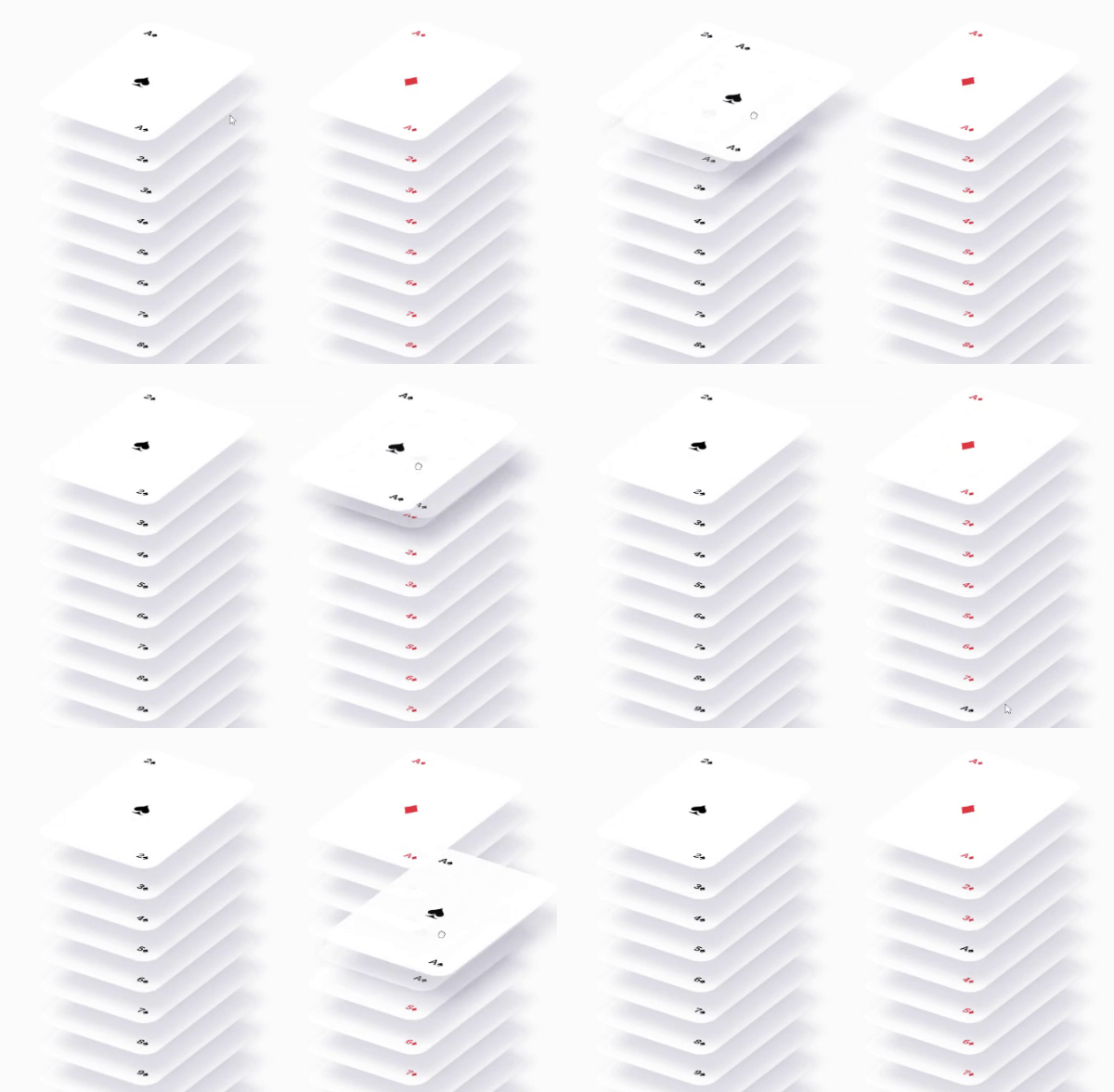
dnd-kit is a modern, lightweight toolkit for building drag-and-drop experiences in React. This library takes a unique approach because it doesn’t give you a pre-built DnD system. It’s a framework you can use to build your own. This means you get full control over the DnD behavior, styling, and interactions, without being boxed into a rigid API. That flexibility is exactly why we decided to use internally for Puck’s drag-and-drop behavior.
✅ dnd-kit’s strengths
🔹 Highly customizable and extensible
One of dnd-kit’s biggest strengths is it’s customizability. It’s not a one-size-fits-all solution, it’s a toolkit. This means you get solid defaults out of the box, while also having fine-grained control over almost every aspect of the drag-and-drop experience. You can tweak collision detection algorithms, define custom animations, handle transitions, and adjust behaviors to fit your exact needs.
For example, in Puck, we needed to customize the DnD interactions and collision algorithms to make our experience usable for multi-column drag-and-drop across flex and grid containers. We initially went with another library, but quickly realized we couldn’t customize it to the level we needed and switched to dnd-kit.
🔹 Highly performant
While other tools will sometimes drop FPS while dragging, dnd-kit, when used right, feels extremely smooth and satisfying. Animations and rearrangements behave as expected, reinforcing that sense of “physicality” modern DnD interactions rely on.
This strength has made it particularly valuable for our use in Puck. With design tools, positioning performance and reliable previewing are extremely important because users will likely do this multiple times per minute and require pixel-level precision. Any delay or misplaced drop will frustrate them, break their immersion, and disrupt their workflow. Luckily with dnd-kit, you don’t need to worry about it too much.
🔹 Active maintenance and community support
The community around dnd-kit is also something worth mentioning. With millions of downloads on NPM, it’s an actively maintained project with lots of community support. If you run into issues or need advice, chances are you’ll find answers pretty quickly.
And since it’s actively maintained, you can rely on regular updates and fixes, you’re not going to be stuck with an outdated or abandoned library. Even better, the maintainers accept contributions, including several of our proposals to the experimental version during our Puck integration. That level of community support makes it a solid choice for long-term projects.
🔹 Accessible features
dnd-kit comes with extensible built-in support for multiple input methods, including mouse, keyboard, touch, and pointer events. This means you’re not locked into just one way of interacting with drag-and-drop elements. Users can use what they have and works best for them.
It also provides extensible screen reader support, which is a big plus for accessibility. Many drag-and-drop libraries ignore this, but dnd-kit gives you the flexibility to improve usability for everyone, helping your project meet the quality standards you need without requiring you to build everything from scratch.
❌ dnd-kit’s limitations
🔻 Requires more boilerplate
dnd-kit gives you a lot of control, but that comes at a cost: more setup. Unlike some drag-and-drop libraries that offer a quick plug-and-play experience, dnd-kit requires you to put the pieces together yourself. This is great when you need something highly customizable, but if you’re just trying to build something simple, like a basic file uploader, it might feel like overkill. If you’re after a quick solution for a straightforward use case, you might want to consider whether the flexibility is worth the trade-off.
🔻 Moderate learning curve
dnd-kit gives you a solid foundation to build drag-and-drop interactions, but it doesn’t hold your hand. While it does provide sensible defaults to help you get started, understanding how it manages interactions and state can take some time, especially if you need to customize it and are new to React or haven’t worked with drag-and-drop libraries before. Having said that, the team is working on a new version that improves the learning experience and will come with a great new docs site.
Since it’s more of a toolkit than a prebuilt solution, you’ll need to think through how you want to structure your drag-and-drop logic. If you’re used to libraries that provide higher-level abstractions, dnd-kit might feel a bit lower-level than expected.
🔻 No support for dragging from desktop or other windows
Since dnd-kit isn’t built on top of the HTML5 drag-and-drop API, it doesn’t support dragging files or elements between different windows or from the desktop. If your use case involves something like dragging a file from your computer into the app or moving elements between separate browser windows, you’ll need to look into other solutions.
🎯 Best for
dnd-kit is ideal for projects that need fine-grained control over drag-and-drop interactions. If you need to tweak DnD behaviors, implement custom animations, or optimize performance in complex UIs, dnd-kit is a solid choice. However, if your needs are simpler (like a basic file uploader or a to-do list where items just need to be rearranged), dnd-kit might feel like overkill. In those cases, a library with more built-in functionality or one that leverages the HTML5 API could be a better fit.
hello-pangea/dnd
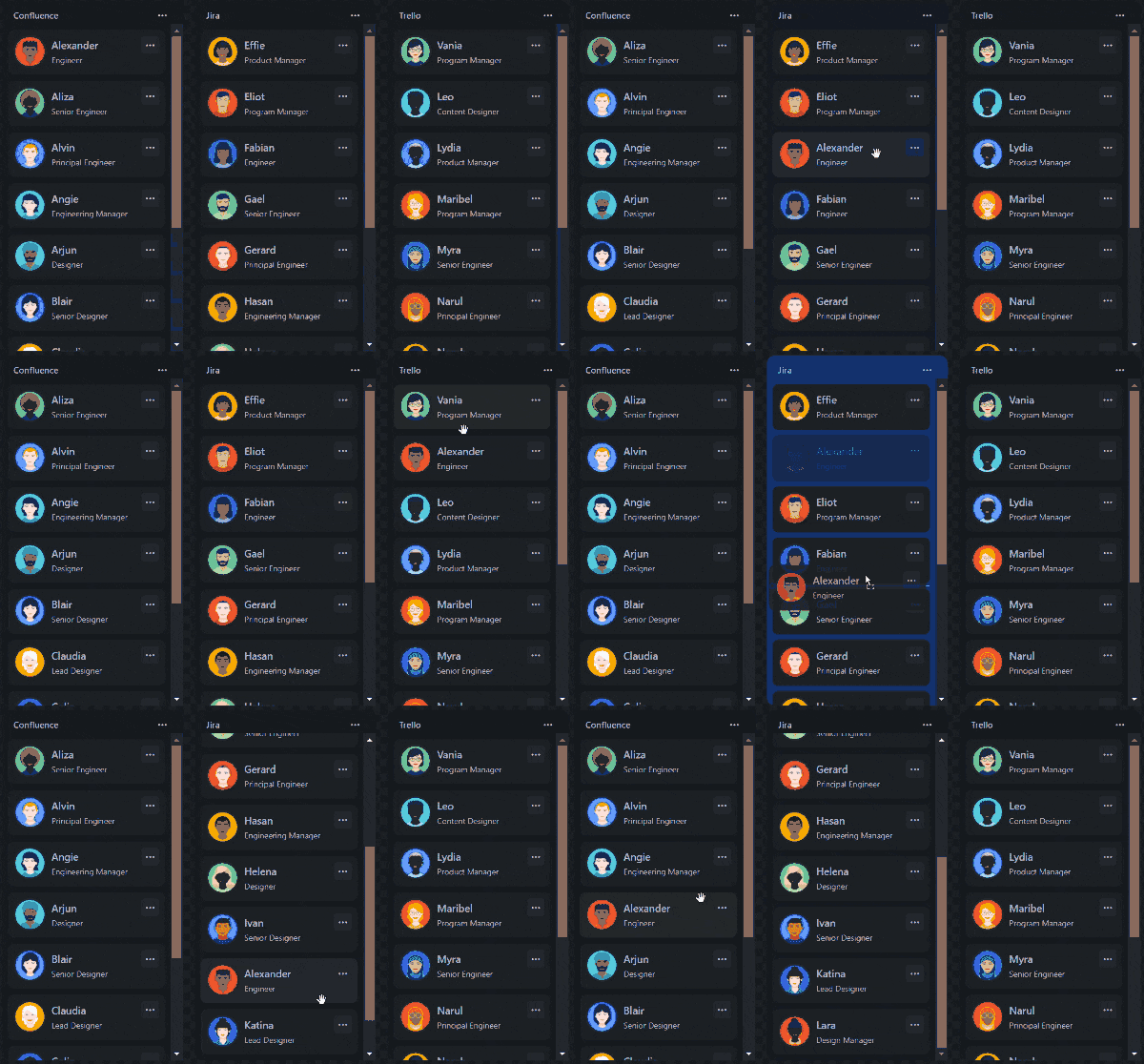
hello-pangea/dnd is a fork of react-beautiful-dnd, the legendary DnD library originally developed by Atlassian. It was designed specifically for list-based drag-and-drop interactions, prioritizing accessibility and smooth animations in kanban style UIs, like Trello.
After Atlassian stopped maintaining react-beautiful-dnd, the community created the hello-pangea/dnd fork. So, while it’s still actively maintained, it’s worth noting that Atlassian is no longer involved, serving primarily as a stable fork and great stopgap while exploring other options.
Atlassian has since released a new DnD library, pragmatic-drag-and-drop, which we’ll cover later, so for this section we’ll focus on hello-pangea/dnd.

✅ hello-pangea/dnd’s strengths
🔹 Complete set of out-of-the-box features for lists
The original library was built specifically to power drag-and-drop interactions in Atlassian’s products, so it excels at handling list-based DnD experiences. If you’re building a kanban board, task manager, or any kind of list-based UI, this library is one of the best fits you’ll find.
Compared to other tools in this list, it provides a higher-level abstraction, taking care of all the heavy lifting so you don’t have to implement common behaviors from scratch. Right out of the box, it supports things like drag-and-drop within vertical and horizontal lists, multi item drag-and-drop, and the ability to move items between different lists.
All this makes it a solid option for applications that require a straightforward DnD experience without a lot of customization for sortable lists.
🔹 Feels natural and intuitive
One of the standout aspects of hello-pangea/dnd is how polished and natural the drag-and-drop interactions feel. The library was designed around the idea of physicality: dragging an item should feel like moving a real object, with smooth animations, proper placeholders, and well-weighted collisions.
A lot of work went into optimizing these interactions to feel predictable and satisfying. Items don’t just teleport around the screen; they move in ways that respect momentum and spatial constraints, making the experience intuitive for users. For apps where drag-and-drop is a core interaction (like kanban boards or task management tools), this level of polish can go a long way in improving the overall UX.
🔹 Accessible out of the box
hello-pangea/dnd comes with built-in support for multiple input methods, including mouse, keyboard, and touch, making it easier to ensure an inclusive experience without extra work. It also includes screen reader support, which is essential if you’re building something that needs to meet accessibility standards.
Compared to other tools in this list, these features are available by default so you don’t have to spend time implementing or configuring them yourself. This can be a real time-saver if you’re on a tight deadline, or don’t have experience building accessible interfaces and want a DnD library that handles it for you.
🔹 Gentle learning curve
hello-pangea/dnd is a higher-level abstraction compared to more flexible libraries like dnd-kit, which means you can get up and running faster with less configuration. If all you need is sortable lists, you don’t have to worry about setting up complex drag behaviors or handling reordering logic, it’s already built in. So, if you don’t want to spend time fine-tuning every aspect of the experience, this library can be a solid choice since it lets you focus on the core functionality without unnecessary complexity.
🔹 Battle tested
hello-pangea/dnd is a well-established library with a solid foundation. Originally built as react-beautiful-dnd by Atlassian, it has been used in production by large-scale applications for years. Since it’s been around for a while, you can expect stability and a wealth of resources, whether it’s community discussions, blog posts, or GitHub issues with solutions to common problems.
If you’re looking for a battle-tested solution for list-based drag-and-drop, this is one of the most reliable options out there.
❌ hello-pangea/dnd’s limitations
🔻 Limited Experience
hello-pangea/dnd is strictly designed for lists, and that’s where it shines. However, if your use case involves grids, multi-column layouts, or freeform drag-and-drop interactions, this library won’t cut it. There are no plans for grid support, so if you need that kind of flexibility, other tools in this list will probably be a better option.
At Puck, we previously used a custom fork of hello-pangea/dnd with iframe support, but when we wanted to introduce multi-column support to allow users to drag components across CSS Grid and Flexbox layouts, we quickly ran into limitations that made it impractical for our needs.
🔻 Heavy weight and not as efficient as other options
While hello-pangea/dnd is solid for list-based drag-and-drop, it comes with a performance trade-off. The original developers at Atlassian have acknowledged that some design choices (like its high-level abstraction and built-in features) added extra overhead, making it less efficient in certain cases. On top of that, unlike more modular libraries, hello-pangea/dnd requires you to import the entire package to use it. This can make it heavier than necessary, especially for larger applications.
If your project involves complex, deeply nested lists or requires highly optimized page loading times to increase time to interactive (TTI), you might find pragmatic-drag-and-drop (the “official evolution” of this library) or other alternatives to be more lightweight and performant.
🔻 Higher-level abstraction with limited customization
Because hello-pangea/dnd is designed to be easy to use, it trades off flexibility for simplicity. While this is great for straightforward use cases like Kanban boards, it doesn’t give you deep control over DnD interactions. If you need to modify drag behaviors beyond what the library allows, you might hit a wall. In our case at Puck, we needed a more flexible solution that could handle multi-column layouts and custom collision detection algorithms, which led us to explore other options.
For basic list-based drag-and-drop, this isn’t a dealbreaker, but if you need fine-grained control, you may find yourself forking the repository or searching for another solution.
🎯 Best for
hello-pangea/dnd is a solid choice if your use case revolves around lists and you want an easy-to-use solution that works with minimal setup. If you’re building a kanban board, task manager, or any UI where users need to reorder items within and across lists, this library gets the job done without much friction.
That said, if you need more flexibility (like grid support, custom animations, or fine-grained control over interactions), then dnd-kit (especially with its sortable package) or pragmatic-drag-and-drop might be better suited for your needs.
pragmatic-drag-and-drop
pragmatic-drag-and-drop is Atlassian’s attempt at solving the problems they ran into with react-beautiful-dnd, their original drag-and-drop library. Unlike its predecessor, this new library takes a headless approach, meaning it doesn’t impose any UI constraints, so you’re free to implement your own drag-and-drop interface however you see fit. It’s designed to be more flexible, performant, and framework-agnostic, so it works with any front-end stack, not just React.
The biggest difference this library has with other tools is that it’s built on top of the native HTML5 drag-and-drop API. This is a bold move because the HTML5 DnD API has a reputation for being inconsistent and tricky to work with. Instead of avoiding it, Atlassian built a wrapper around it, abstracting away the common issues and providing a unified, cross-browser API that makes it much easier to work with.
This approach makes pragmatic-drag-and-drop lightweight and efficient, but it also comes with some trade-offs, particularly in terms of user experience. If you’re considering this library, you’ll want to weigh those carefully.
✅ pragmatic-drag-and-drop’s strengths
🔹 Highly customizable and extensible
Because pragmatic-drag-and-drop is headless, you’re not locked into a specific UI or behavior. It just gives you the core drag-and-drop logic, and lets you decide how to present it. This makes it highly customizable since you can integrate it with any components or styles you already have in your codebase.
It also provides optional visual outputs as separate packages, meaning that while it doesn’t come with a built-in UI, it does offer some helper utilities for rendering drag previews or drop indicators if you need them. This balance between flexibility and convenience makes it a solid option if you want a lightweight library that doesn’t force you into a specific structure but still provides helpful tools to speed up development.
🔹 Framework agnostic
Unlike most drag-and-drop libraries in this list, pragmatic-drag-and-drop works with any front-end framework. Since it’s based on the native HTML5 drag-and-drop API, it doesn’t rely on React’s internal state management or hooks, making it easy to integrate into Vue, Svelte, Angular, or any other environment.
If you’re working on a multi-framework project or want the flexibility to switch frameworks down the road, this could be a major advantage.
🔹 Highly performant and lightweight
In terms of performance, pragmatic-drag-and-drop was built with special care for it to be fast and lightweight, introducing multiple techniques to bundle only the code you need, and avoid unnecessary rendering in server components. This is partly because it’s built on top of the native HTML5 drag-and-drop API and it doesn’t carry the overhead of other, more feature-heavy libraries.
When compared with dnd-kit, for example, which is also built with high performance in mind, pragmatic-drag-and-drop does come ahead in terms of bundle size. So, if you are building a project where time to interactive is a priority, this option might be the best one for you.
🔹 Accessibility features with defaults
As the official evolution of react-beautiful-dnd, this library also comes with extensible accessibility features right out of the box. The default assistive controls are based on the Atlassian Design System, so if you’re already using that, integration will be seamless. But if you aren’t, you can easily replace those components with your own, or completely redefine how accessibility is provided and take a more customized approach based on your project’s needs. This makes it a strong contender if your project has specific accessibility requirements.
❌ pragmatic-drag-and-drop’s limitations
🔻 Limited visual feedback
Because this library relies on the HTML5 drag-and-drop API, it doesn’t offer the same level of smooth, interactive feedback that other libraries do. There’s no live preview placeholder of the dragged element or snapping animations. Instead of a placeholder, it provides a basic drop indicator (a line showing where the item will land once dropped).
For simpler use cases, this might not be a dealbreaker. But for highly interactive applications like page builders or design tools, where users expect to see real-time previews and fluid motion, this can feel limiting. If your project requires a more engaging and visually dynamic drag-and-drop experience, you may need to layer custom animations on top, or consider a different library altogether.
🔻 Lacks comprehensive documentation and community resources
Since pragmatic-drag-and-drop is still relatively new, its documentation and community support aren’t as mature as what you’ll find with more established libraries like dnd-kit or hello-pangea/dnd. While the core functionality is solid, there’s less guidance available, so if you hit an issue, you might find yourself digging through GitHub issues or reading through the source code to figure things out.
If you’re comfortable troubleshooting on your own and don’t mind experimenting, this might not be a huge hurdle. But if you prefer a well-documented API with plenty of community discussions, tutorials, and Stack Overflow answers, you might find the lack of resources frustrating.
🔻 Moderate learning curve
Similar to dnd-kit, pragmatic-drag-and-drop is a headless and framework-agnostic library, which means there’s a bit more of a learning curve compared to plug-and-play solutions. The customization options are powerful, but you’ll need to spend some time getting familiar with its API and how to integrate it effectively into your project.
Additionally, much of the official documentation and examples are built around Atlassian’s design system, so if you’re not using that, you might need to spend extra time adapting the examples to your own setup. Depending on your experience, this could be a minor inconvenience or a bigger hurdle when first getting started.
🔻 License considerations
While Apache 2.0 is a widely used and permissive license, it’s not as open-ended as the MIT license that some of the other libraries on this list use. If your project has specific licensing requirements, it’s worth taking a moment to review the terms and ensure it aligns with your intended use.
🔻 Unconventional approach to open source
Unlike most open-source projects, Atlassian doesn’t fully embrace the traditional open-source model. Their development happens internally, with updates being synchronized to GitHub by a bot, meaning there’s no public roadmap or direct insight into upcoming changes. While the project is technically open-source, this lack of transparency could be a drawback if you’re looking for a library with active community involvement or want to contribute to its development.
🎯 Best for
pragmatic-drag-and-drop shines in applications that require lightweight drag-and-drop functionality, especially in scenarios involving lists, trees, or container-based interactions. It’s perfect for use cases like task management boards or file organizers, where simple drag-and-drop is enough. However, the library’s limited visual feedback makes it less suitable for more complex use cases, particularly if they involve grid- or flex-based layouts. So, if your project relies heavily on complex multi-column layouts or needs more interactive feedback (such as animating items as they are dragged), you might want to explore other options in this list.
Gridstack.js
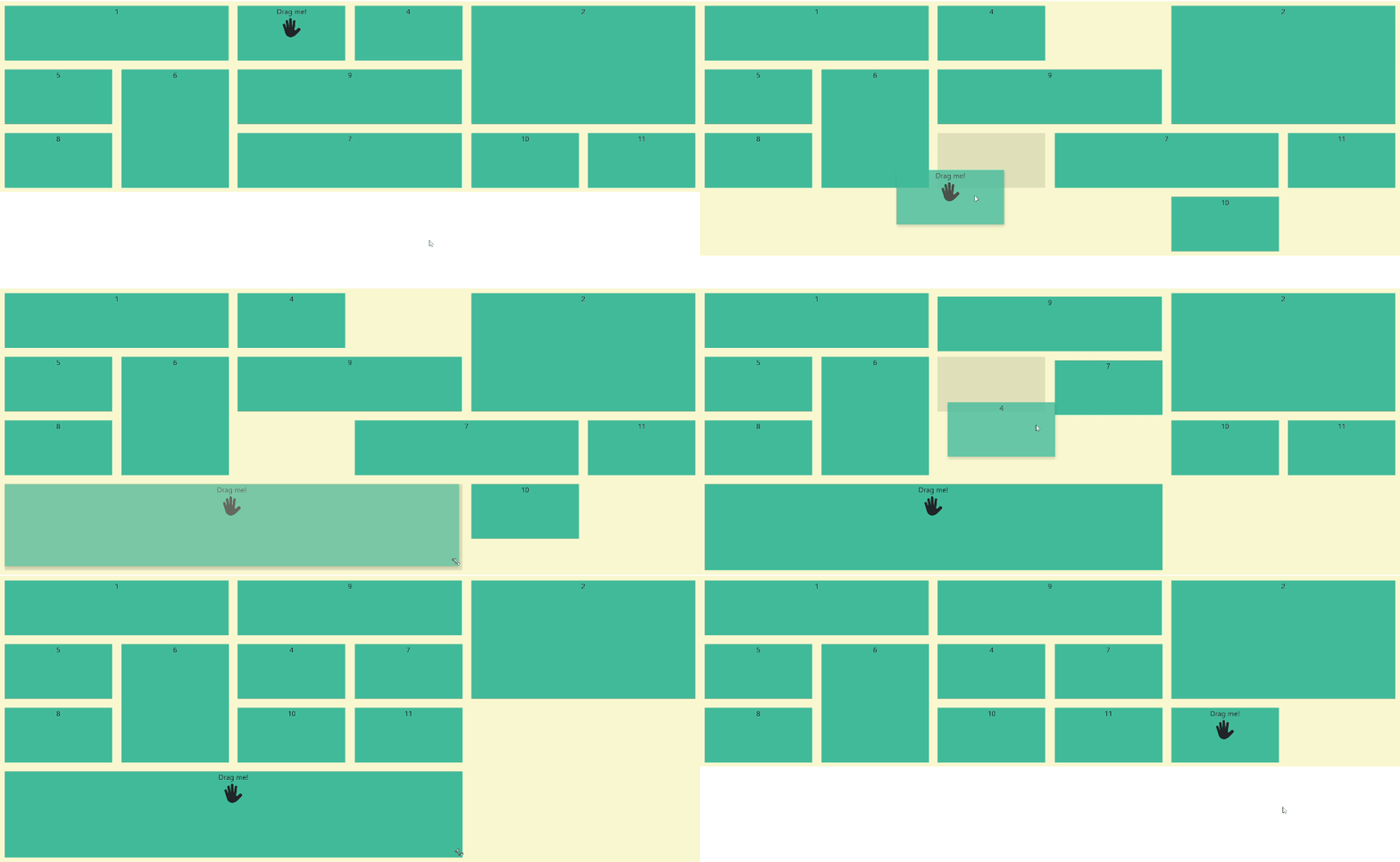
Gridstack.js is a drag-and-drop library built specifically for grid-based layouts. If you’re building interactive dashboards or anything that requires draggable and resizable grid items, this library takes care of most of the heavy lifting right out of the box.
This is also the oldest library on this list, having been around for nearly 11 years. It originally started as a jQuery-based project before migrating to vanilla JavaScript. That long history means it’s been used in a variety of real-world applications and is likely to stick around.
That said, this also comes with some trade-offs. The transition from jQuery wasn’t entirely seamless, and some API design choices still carry legacy baggage. While the library is still actively maintained, parts of it might feel dated or tedious compared to more modern React-focused solutions.
✅ Gridstack’s strengths
🔷 Complete set of out-of-the-box functionalities for grids
Like hello-pangea/dnd, Gridstack.js is a higher-level abstraction, but instead of focusing on lists, it’s designed specifically for grid-based layouts. While tools like dnd-kit require additional work to support grid behavior, Gridstack handles all that for you, so you can focus on configuration rather than implementation.
Right out of the box, it provides grid drop zones with configurable rows and columns, drag-and-drop positioning within a grid, and resizable grid items that snap to the layout structure. So, if your app depends on draggable grids and you’d rather not build that functionality from scratch, Gridstack is a solid choice that can save you a lot of development time.
🔷 Mature library with long-term support
Gridstack.js has been around for over a decade, making it one of the most battle-tested libraries in this list. Its longevity means it’s been used in a wide range of real-world applications, from internal tools to production dashboards, and it continues to receive updates and improvements. Unlike some libraries that pop up and disappear after a few years, Gridstack has shown long-term stability, making it a safer bet if you’re looking for a drag-and-drop solution that won’t suddenly be abandoned.
🔷 Framework agnostic
Just like pragmatic-drag-and-drop, Gridstack.js is designed to work with any JavaScript framework, or even without one. This gives you flexibility if you’re working in a mixed environment or need a solution that isn’t tightly coupled to React. It has official wrappers for Angular, Ember, Aurelia, and Rails but at its core, it’s a vanilla JavaScript library. This means you can integrate it into different projects without being locked into a specific ecosystem.
If you need a stable grid drag-and-drop experience, and you want a long-term solution that can be adapted across different frontend stacks, you should seriously consider using Gridstack.
❌ Gridstack’s limitations
🔻 Steep learning curve for React integration
While Gridstack.js is a powerful tool for grid-based drag-and-drop interactions, integrating it with React can feel unintuitive. The library was originally built with jQuery in mind, and while it has since transitioned to vanilla JavaScript, many of its API design choices still reflect those roots. Instead of working with standard React patterns like props and state, you have to inject the grid manually by manipulating the DOM directly using HTML IDs and selectors; and you’ll also have to use objects and classes to handle the grid state and its configurations.
For React developers, this can feel out of place and lead to more complex, less idiomatic code. The team has discussed releasing an official React wrapper to improve the experience, but there has been community feedback suggesting that the current setup can be frustrating. If you’re comfortable working closer to the DOM or have experience with non-React libraries, this might not be a dealbreaker. But if you’re looking for a more seamless React-first solution, Gridstack might require some extra work to integrate smoothly.
🔻 Sparse documentation and small community
Gridstack.js has been around for a long time, but its documentation is relatively minimal. While there are some examples available, they don’t always cover more complex use cases, leaving you to figure things out through trial and error. This wouldn’t be as much of an issue if there were an active community to turn to, but Gridstack’s user base is fairly niche. That means fewer online discussions, tutorials, or Stack Overflow threads to help troubleshoot issues. If you’re used to working with well-documented libraries with strong community support, integrating Gridstack into your project might feel like more of a solo effort.
🔻 Limited to grid-based layouts
Gridstack.js is built specifically for grid-based drag-and-drop interactions, which means it doesn’t support other layout types like flexbox out of the box. If your project requires a mix of grid and flex layouts or more fluid positioning, you’ll need to work around these limitations or consider a different library. While this isn’t necessarily a dealbreaker if you’re working on a dashboard-style UI, it does mean you’re locked into a specific way of handling layouts. If you need more flexibility, other libraries might be a better fit.
🎯 Best for
Gridstack.js is a solid choice if your project is heavily focused on grid-based layouts and you need out-of-the-box item resizing. It’s particularly useful for applications like dashboards, widget-based UIs, or any interface where users need to rearrange elements within a strict grid structure.
However, if you’re working in a React environment, integration can be a bit clunky due to its JavaScript-first design and reliance on selectors, classes, and objects. If you need a more seamless React experience with drag-and-drop inside grids, dnd-kit or pragmatic-drag-and-drop might be a better fit depending on your flexibility and performance needs.
🔚 Wrapping Up
Choosing the right drag-and-drop library isn’t as straightforward as it seems. As we saw in this list, each option comes with its own strengths, trade-offs, and best use cases, and like everything in engineering, the “best” choice ultimately depends on your specific needs.
If you’re exploring drag-and-drop solutions because you’re working on a page builder, a dashboard, or any app that needs a powerful visual editor, you might want to check out Puck. We built it to make embedding a flexible visual editor into your app as seamless as possible.
We’d love to hear your thoughts! If you have feedback on this breakdown, know of other libraries we should check out, or just want to chat about drag-and-drop and visual editing, come say hi:
⭐ Support us on GitHub by dropping a star
💬 Join the conversation on Discord
🐦 Follow us for updates on X
Learn more about Puck
If you’re interested in learning more about Puck, check out the demo or read the docs. If you like what you see, please give us a star on GitHub to help others find Puck too!