 Fede Bonel Tozzi
Puck AI 0.8 introduces a more capable agent, design mode for generating new components on the fly, bring-your-own-key support, and new pricing. Try it out.
In this post, we’ll go over everything new in Puck AI 0.8 and how you can start using it:
You can also find in-depth documentation in our AI docs.
What’s new in Puck AI 0.8
Next-gen agent
Puck AI now runs on a new agent that can handle more complex tasks and generate better results by working through multiple steps. It can visually inspect the pages it generates, understand how your components are used, and access external sites to gather information.
To use the next-gen agent, follow the upgrade steps and upgrade to a new pricing plan.
Design mode
Puck AI can now generate pages in two modes:
- Assembly mode: creates pages from the components registered in your
config. - Design mode: generates new components on the fly and uses components from your config where possible.
Generated components are stored in the page data and behave like any other Puck component: they have fields to modify the output, support multi-column layouts, and appear in the blocks tab.
Enable design mode
Design mode is disabled by default. To enable design mode:
- Set
ai.designMode.allowedto true in your server handler.
puckHandler(request, {
  ai: {
    designMode: {
      allowed: true,
    },
  },
});- Wrap your config with
withDynamicConfig.
const dynamicConfig = withDynamicConfig(config, data);

<Puck plugins={[aiPlugin]} config={dynamicConfig} data={data} />;
Turn design mode on and off
Users can switch between the two modes in the editor, or you can force it via the mode parameter:
The switcher is hidden by default. To show it, set designMode.visible in createAiPlugin to true:
const aiPlugin = createAiPlugin({
  designMode: { visible: true },
});
Constrain component generation
Guide component generation by passing instructions to the server handler. You can use this to specify rules such as which colors to use or which visual style to follow.
puckHandler(request, {
  ai: {
    designMode: {
      instructions: "Use `var(--primary-color)` for primary colors.",
    },
  },
});
Use design mode headlessly
To use design mode with the generate API, set mode to "design":
const page = await generate({
  prompt:
    "Create a page about hot air balloons. The hero should feature hot air balloons floating from the bottom of the page to the top.",
  config: { components: {} },
  mode: "design",
});
Headless generation supports the same design mode options as the server handlers.
Bring your own key (BYOK)
Puck AI now supports BYOK, which lets you use your own provider account for AI requests. To use your own key, set ai.providerApiKey in the server handler.
puckHandler(request, {
  ai: {
    providerApiKey: process.env.MY_PROVIDER_KEY,
  },
});
Bring your own key is only available on specific plans. See the pricing page for details.
Model configuration
You can configure separate models for assembly and design modes in your server handler, letting you optimize each for cost, speed, or quality.
puckHandler(request, {
  ai: {
    model: "openai/gpt-5.4-mini", // Default assembly model
    designMode: {
      model: "openai/gpt-5.6-luna", // Default design model
    },
  },
});
Puck AI currently supports a subset of OpenAI models. See the model configuration docs for the list of available models.
Set model parameters
Customize model behavior by setting provider options.
puckHandler(request, {
  ai: {
    providerOptions: {
      openai: {
        serviceTier: "priority", // Enable faster responses
      },
    },
  },
});
Use designMode.providerOptions to override options for design-mode requests.
New pricing
Puck Cloud now offers four plans: Pay as you go, Launch, Growth, and Enterprise. See the pricing page for details.
If you’re already subscribed to Puck Cloud, you can continue using the previous agent on your current plan, but you won’t have access to the new AI features in this post until you upgrade.
You can upgrade from your billing page. Any remaining balance from your current plan will be prorated toward your new plan.
Other changes
Resolve data while streaming
resolveData now runs as the page streams in, rather than only after generation finishes. This means resolved values appear live in the preview while the page is being generated.
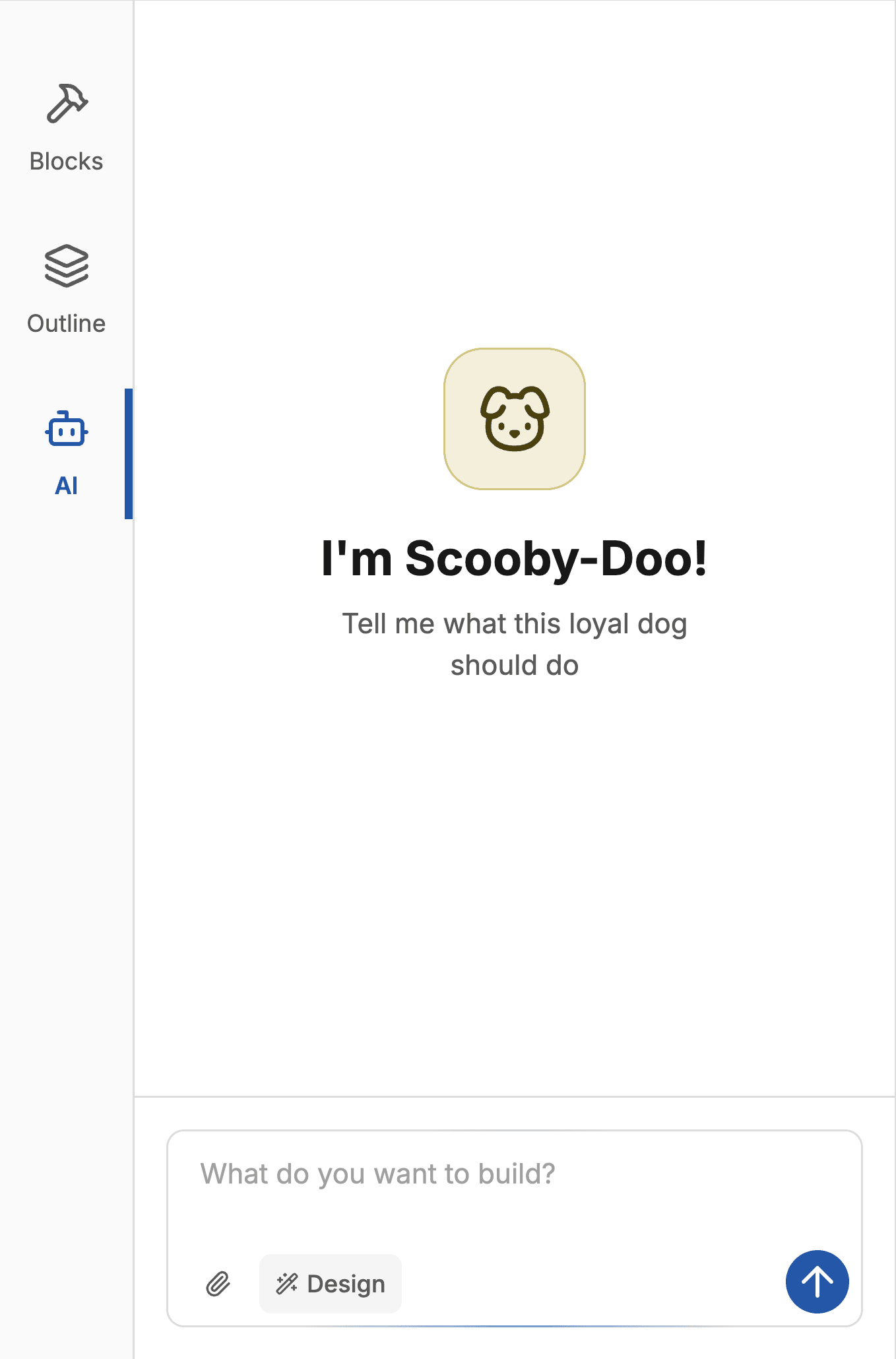
Set a custom chat placeholder
createAiPlugin now lets you customize the chat placeholder in the editor when there are no messages.
createAiPlugin({
  chat: {
    placeholder: (
      <div>
        <h2>I'm Scooby-Doo!</h2>
        <p>Tell me what this loyal dog should do</p>
      </div>
    ),
  },
});
Run a callback after generation
Pass an onFinish callback to createAiPlugin to run code in the browser after generation finishes.
createAiPlugin({
  chat: {
    onFinish: ({ isAbort, isDisconnect, isError }) => {
      if (isAbort || isDisconnect || isError) {
        toast("Oops, something went wrong!");
      }
    },
  },
});
Puck skill
The new Puck skill helps coding agents follow best practices when working with Puck AI. Install it with:
npx skills add https://github.com/puckeditor/skills --skill puckUse it to upgrade and integrate features from this release:
Use the Puck skill to upgrade Puck AI to the latest version and add design mode to my editor.Full changelog
Features
- Introduce smarter AI agent
- Add design mode
- Add BYOK support
- Run
resolveDataduring stream - Add customizable AI chat placeholder
- Update default AI chat placeholder
- Add AI chat completion callback
- Automatically retry rate-limited requests in cloud-client
Bug Fixes
- Wait for images before screenshotting
How to upgrade
Upgrading Puck
To upgrade, you only need to install the latest versions of the Puck AI packages:
npm install @puckeditor/cloud-client@latest @puckeditor/plugin-ai@latestTry the Puck AI
Puck AI is available now. Sign up.