 Chris Villa
Puck AI 0.4 automatically follows the page stream, stores screenshots in your chat history, and does some housekeeping. See the AI overview for more information on Puck AI.
In this post, we’ll go over everything new in Puck AI 0.4 and how you can start using it:
You can also find in-depth documentation in our AI docs.
What’s new in Puck AI 0.4
Automatically follow the UI stream
When using the chat interface, Puck AI will now automatically scroll the generation stream until the user scrolls away.
This can be disabled using the scrollTracking API:
import { createAiPlugin } from "@puckeditor/plugin-ai";

const aiPlugin = createAiPlugin({
  scrollTracking: false, // Enabled by default
});
Screenshots
When using the AI plugin, Puck will now store screenshots of the final output. These are accessible in the via the chat history in your Puck dashboard.
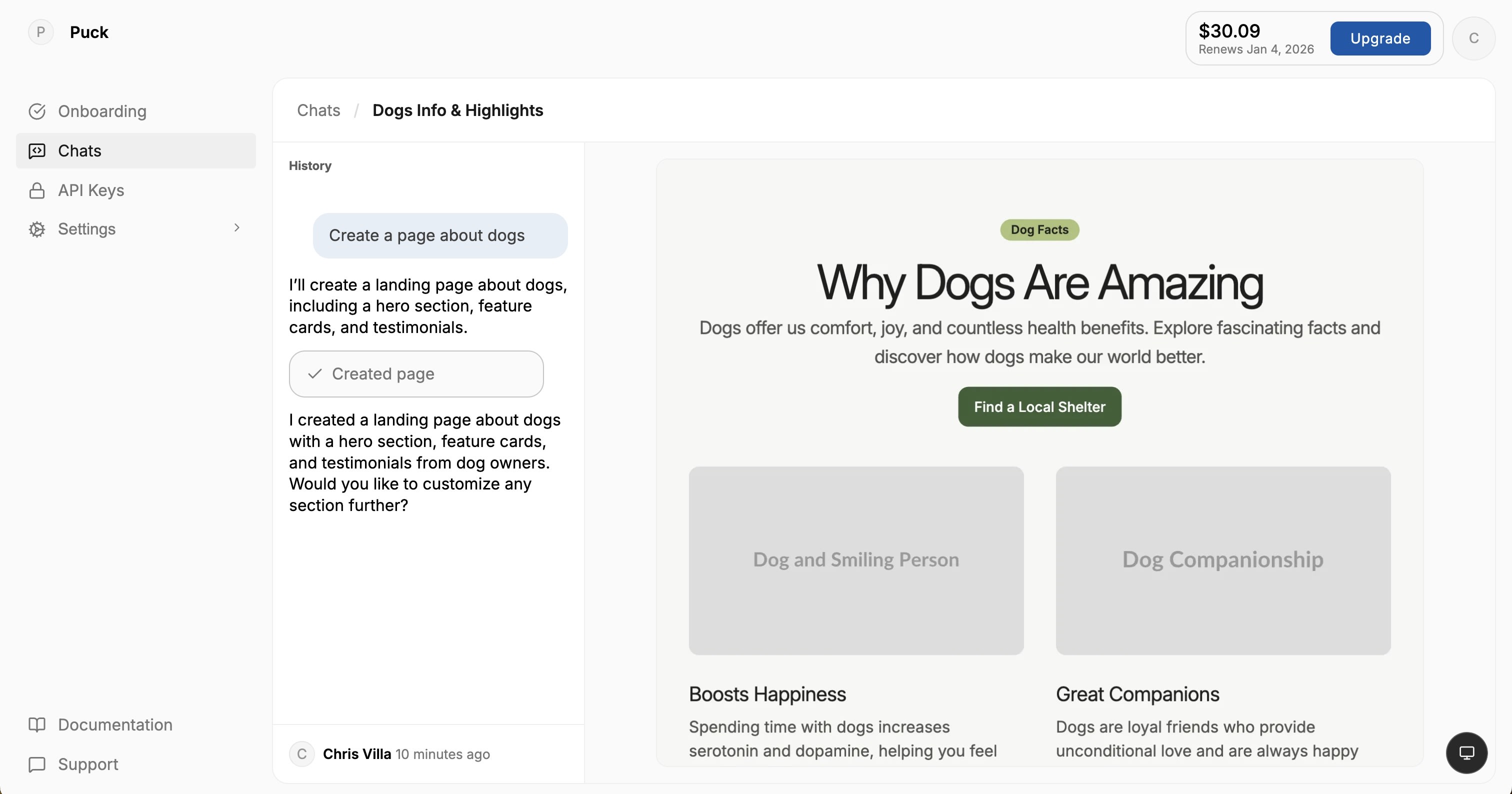
In the future, screenshots will give Puck eyes, enabling it to understand the visual impact of its decisions and improve generation quality.
Component schemas are removed (breaking change)
Component schemas are removed in favor of field schemas, which are simpler and behave much more robustly.
// Before
const config = {
  components: {
    HeadingBlock: {
      ai: {
        schema: {
          type: "object",
          properties: { title: { type: "string" } },
          required: ["title"],
          additionalProperties: false,
        },
      },
      fields: {
        title: {
          type: "custom",
          render: () => <input />,
        },
      },
    },
  },
};

// After
const config = {
  components: {
    HeadingBlock: {
      fields: {
        title: {
          type: "custom",
          ai: {
            schema: { type: "string" },
          },
          render: () => <input />,
        },
      },
    },
  },
};
How to upgrade
Upgrading Puck
Run the following command to install the latest version of the Puck canary required for AI functionality:
npm install --save-exact @measured/puck@0.21.0-canary.ed351ce5Installing Puck AI 0.4
Run the following command to install the latest version of Puck AI packages:
npm install @puckeditor/cloud-client@latest @puckeditor/plugin-ai@latestTry the Puck AI beta
We’re rolling out Puck AI to our existing community before opening a public beta.